- DATE:
- AUTHOR:
- S&P Global
November 2026 S&P Capital IQ Pro Release Notes
S&P Capital IQ Pro Release Highlights
In this release, we added new datasets and tools to Capital IQ Pro, designed to enhance our clients' daily workflows:
Private Markets Investor Intelligence: Gain deeper insights into investor interests and activity with new With Intelligence Intentions & Preferences data.
Banks & Credit Unions: Access expanded consumer loan coverage with two new standard products: 84-Month New Auto Loan ($25K) and 84-Month 2-Year Used Auto Loan ($15K).
Visible Alpha Estimates: View broker participation for any line item directly within the data grid, regardless of estimate entitlements.
Document Intelligence: Access a dedicated tile for Expert Networks documents.
Portfolio Analytics: Explore portfolio performance with AI-powered Portfolio Insights (Beta) across single portfolio and benchmark reports.
Private Markets & Private Company
In this release, we enhanced our Private Markets investor intelligence by introducing With Intelligence Intentions & Preferences data within a new Intentions & Preferences page on investor profiles, providing greater visibility into investors' stated investment interests, fundraising intent, target investment areas, and preferences. We also expanded Fund-Investor Relationship coverage for insurance investors, leveraging NAIC Schedule BA filings to provide greater visibility into insurance companies' fund-investment activity. Additionally, we expanded private company logo coverage to over 1 million companies, enabling users to efficiently identify and research companies across the Capital IQ Pro platform.
Intentions & Preferences for Limited Partners (LPs)
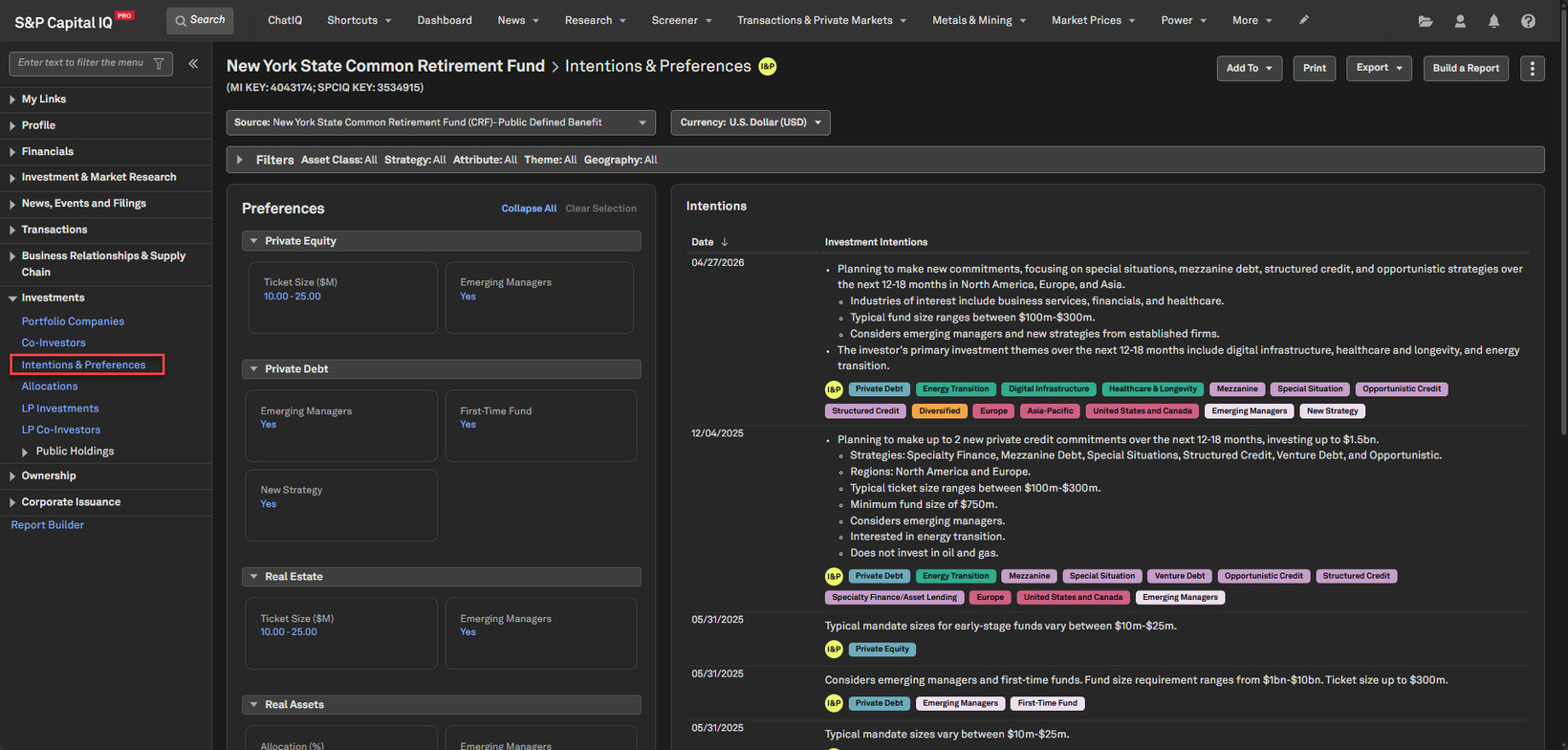
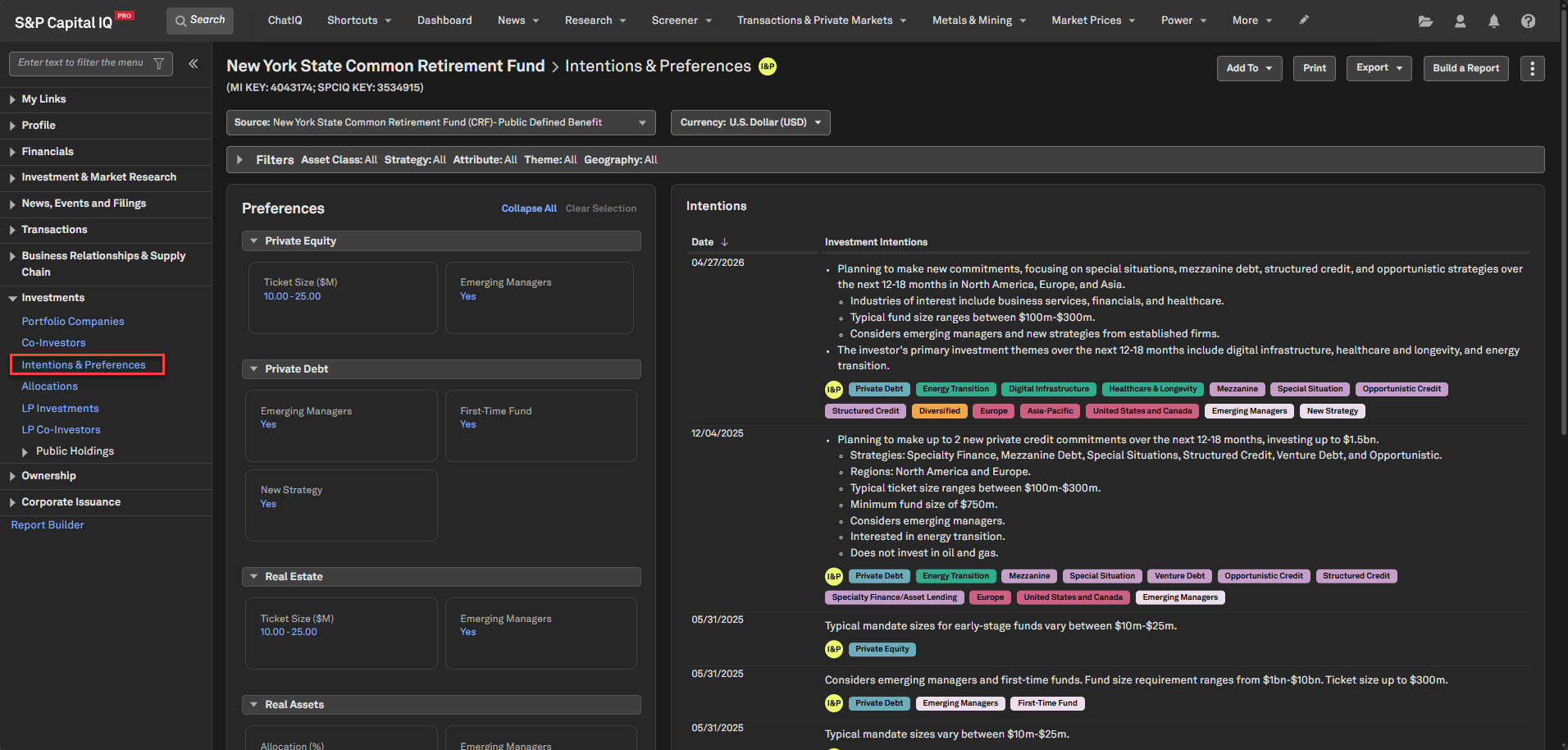
Users with a With Intelligence subscription can now access comprehensive Intentions & Preferences data on a dedicated page within investor profiles, providing deeper insight into investor interests, allocation plans, and fundraising preferences. This enhancement enriches fundraising workflows by providing users with deeper insights into investors' target asset classes, fund strategies, industry interests, geographic focus areas, and investment themes, enabling them to identify and prioritize potential investors. For more information, please refer to the Help page.
Find it in the platform:
Search for and select a Limited Partner profile in the top search
From the left-hand navigation, select Investments > Intentions & Preferences
Access the limited partner's reported intentions alongside preferences in a time series view
Note: Access to the Intentions & Preferences page requires a With Intelligence subscription, please contact your account team for details.
Coverage stats:
~20,000 intentions across 4,000 LPs
Expanded Relationships Coverage from NAIC Schedule BA
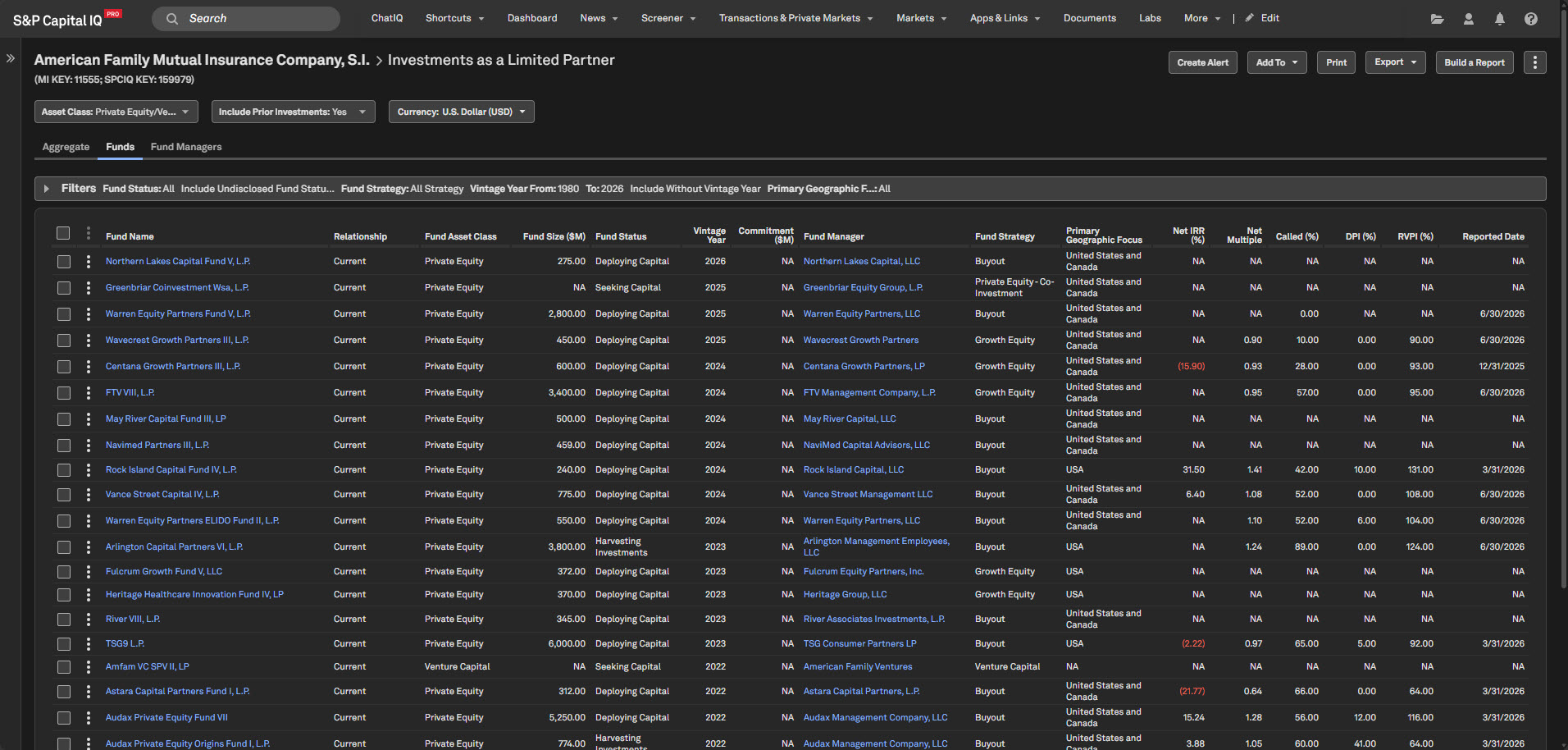
Users can now view Fund-Investor Relationships for insurance company investors sourced from NAIC Schedule BA filings on the LP Investments page, expanding investor coverage and providing deeper visibility into insurance companies' fund investment activity.
Find it in the platform:
Limited Partner Profile
Search for and select a Limited Partner profile in the top search e.g., American Family Mutual Insurance Company, S.I.
From the left-hand navigation, select Investments > LP Investments
View the investor's Fund Commitments and Fund-Investor Relationships within the Funds tab
Fund profile
Search for and select a Fund profile in the top search
From the left-hand navigation, select Profile > LP/Investors
View the fund's associated limited partners and investor relationships, including the expanded insurance investor coverage sourced from NAIC Schedule BA filings
Coverage stats:
~13,000 additional fund-investor relationships across 600 LPs
Private Companies Logos
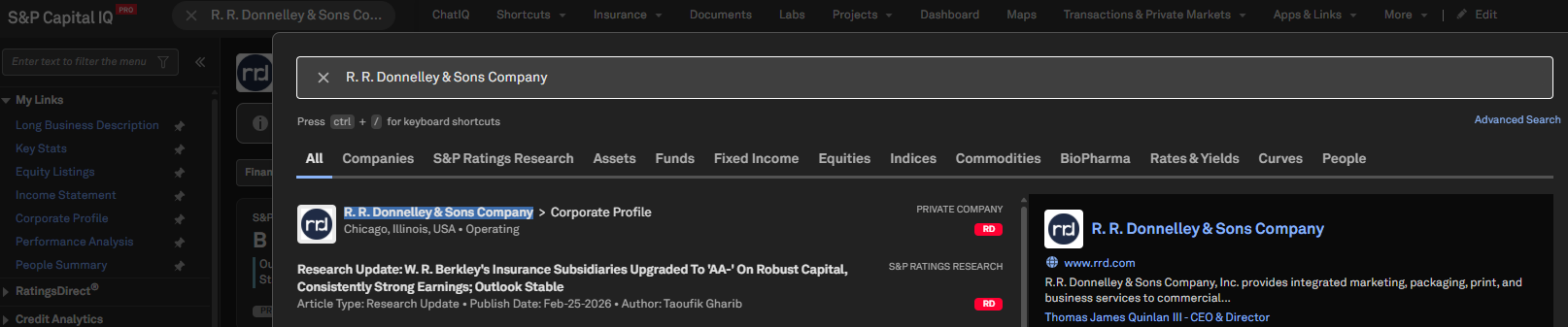
Logos for more than 1 million private companies are now displayed across Search, Corporate Profile, and People Summary pages, helping users quickly identify companies and enhancing the overall user experience.
Find it in the platform:
Search for a private company in the top search, e.g., R. R. Donnelley & Sons Company
View the company logo displayed alongside the company name and on the company card within the search results
Navigate to the company’s Corporate Profile, where the logo is shown alongside the company name in the header
On the company’s People Summary page, the logo is displayed in the header
Coverage stats:
Logos available for 1M+ private companies
Banks & Credit Unions
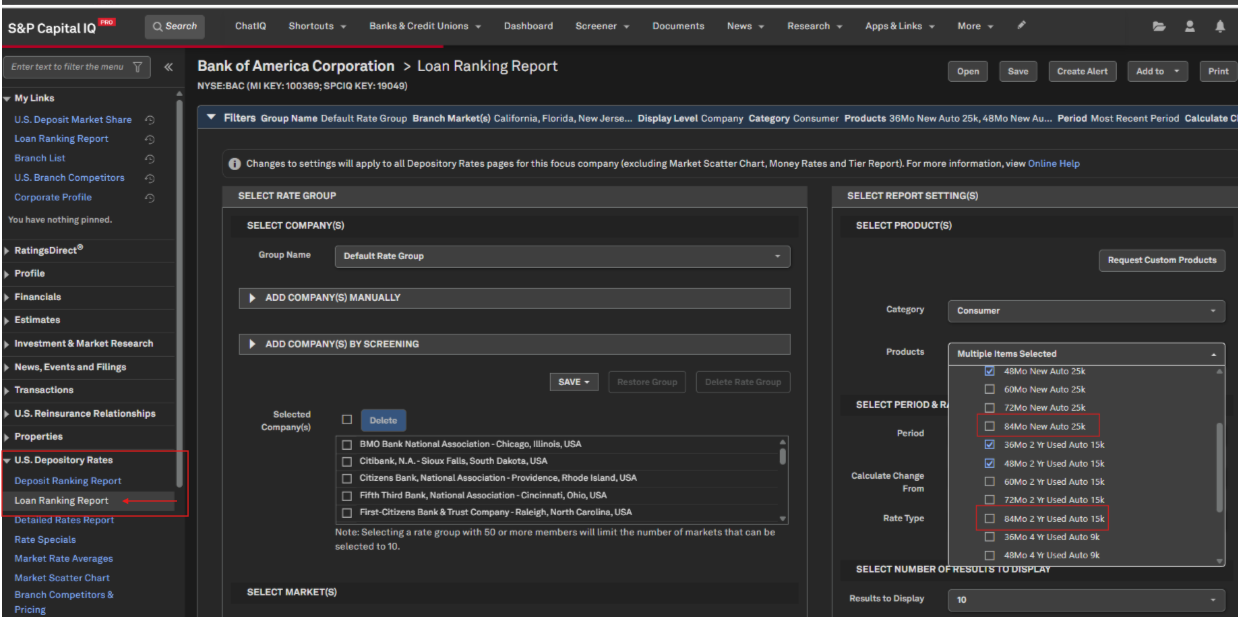
In this release, we added two new Consumer Loan standard products: the 84-Month New Auto Loan ($25K) and the 84-Month 2-Year Used Auto Loan ($15K). This enhancement broadens our Consumer Loan product coverage, empowering users to analyze a wider range of auto-lending products. These new standard products are now accessible across multiple areas of the platform, supporting more comprehensive insights.
Consumer Loan Product Expansion
Consumer Loan product coverage is expanded to include the 84-Month New Auto Loan ($25K) and the 84-Month 2-Year Used Auto Loan ($15K), providing users with broader auto-lending rate analysis and market comparison capabilities.
Find it in the platform:
Loan Ranking Report
Search for and select a Banking company in the top search, e.g., Bank of America Corporation
From the left-hand navigation, expand US Depository Rates > Loan Ranking Report
Expand Filters and go to Select Products and set Category to Consumer
Select the Products dropdown, expand Auto Loan and select 84 Mo New Auto Loan 25k and/or 84 Mo Used Auto Loan 15k
Screener
Navigate to Screener and select any of the perspectives: Companies, Regulated Depositories (U.S.), Branches (U.S.), Geographic Intelligence, or Companies Classic
Click Display Columns, expand U.S. Depository Consumer Rates > Consumer Loan Products and choose the required field
Click the dropdown in Parameters and select 84 Mo New Auto Loan 25k and/or 84 Mo Used Auto Loan 15k
Visible Alpha
In this release, we introduced a new feature that enables users to identify which brokers cover a line item directly within the data grid, regardless of their entitlement to the underlying estimates.
Broker Transparency in Row Expansion for Non-Entitled Users
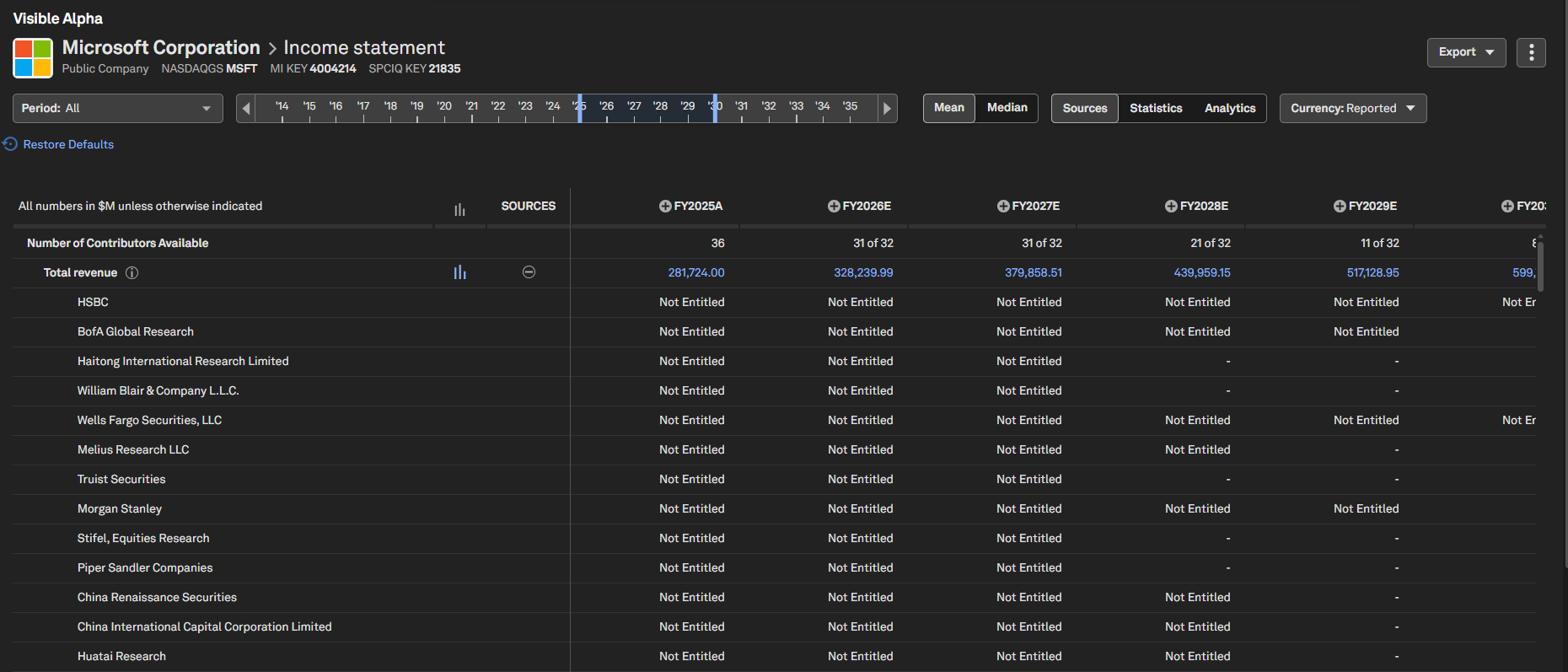
Users can now view broker coverage for a data item directly within the data grid, regardless of their entitlement to specific estimates. This enhancement offers a more streamlined and accessible experience when assessing broker participation.
New Features:
Sources toggle: The Sources toggle in the control panel is now enabled for all users. Turn it on and expand any line item to view the full list of brokers covering that item, consistent with the information available in the click-through window
Broker Coverage Overview: View broker participation for each period without the need to click through individual data points
Not Entitled: Indicates the broker has contributed an estimate for that line item and period, but access to their data is restricted
– (Hyphen): Indicates the broker has not provided an estimate for that line item and period
Historical Consensus, Filings and Actuals: When a row is expanded, historical Consensus, Filings, and Actuals are displayed for easy comparison with market consensus.
Find it in the platform:
Search for and select a company in the top search, e.g., MSFT Corporation
In the left-hand navigation menu, expand Visible Alpha
Open any page under Key Values, Company Data or Standardized Data
Expand a data item to view contributing broker names
Document Intelligence
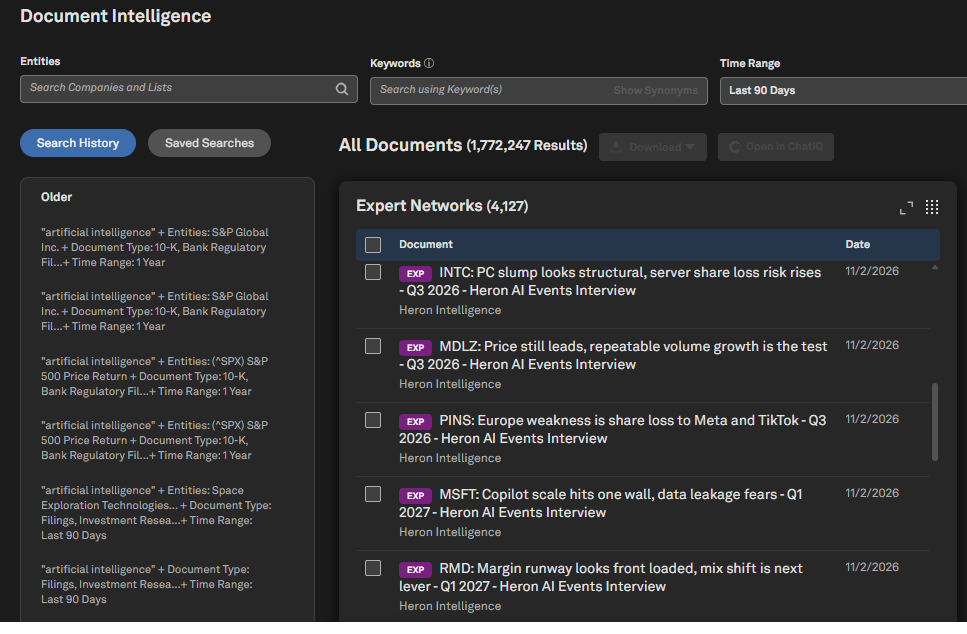
In this release, we introduced Expert Networks documents in a new dedicated tile within Document Intelligence.
Expert Networks Documents in Document Intelligence
Users can access Expert Networks documents directly from its own dedicated tile in Document Intelligence.
Find it in the platform:
Navigate to the Documents tab in the top navigation to access the Document Intelligence page
Scroll down to view the Expert Networks tile
Portfolio Analytics
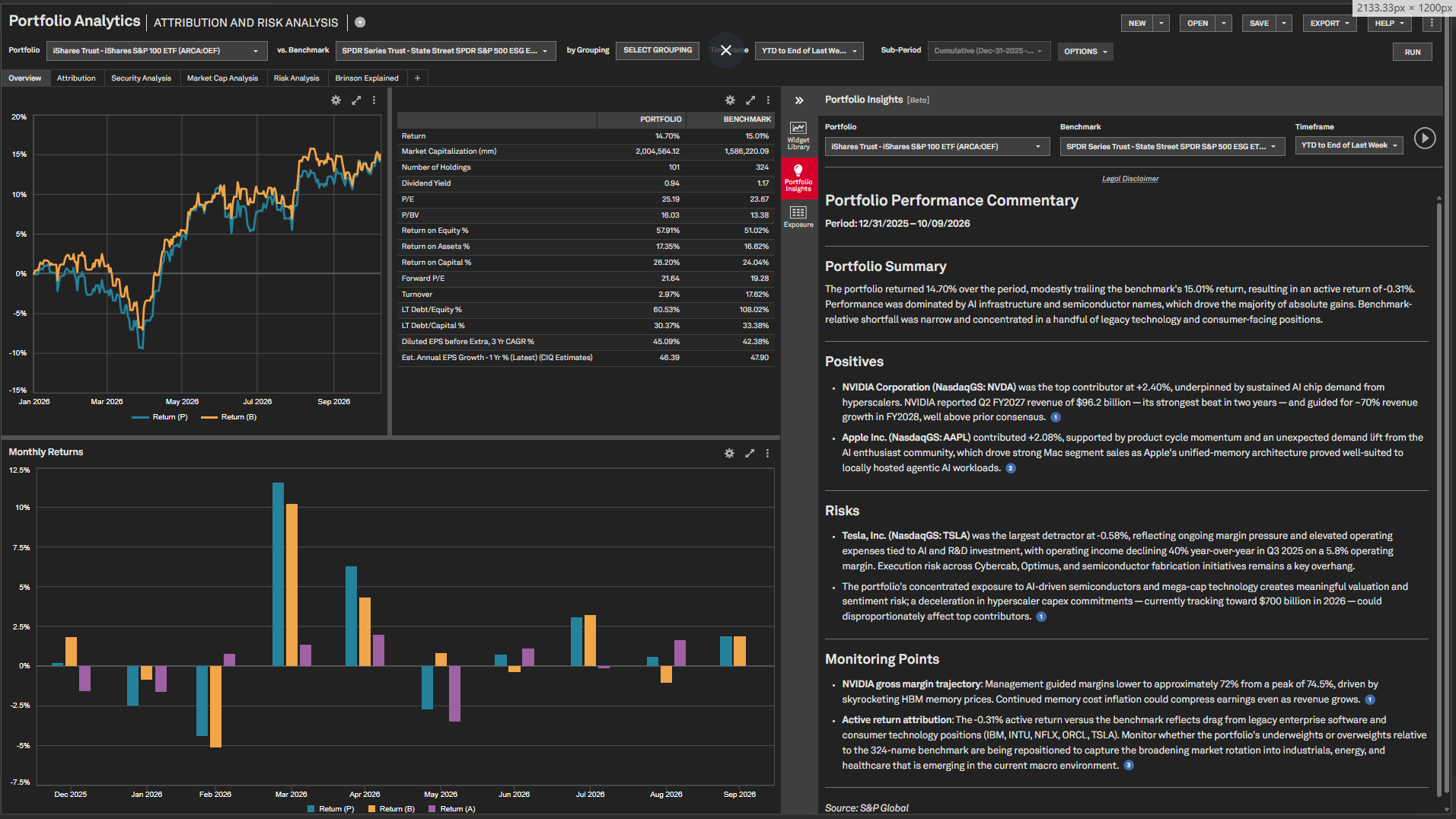
In this release, we’ve introduced AI-powered performance analysis within Portfolio Analytics. This feature is now available on single portfolio and benchmark reports across all PA analysis.
Portfolio Insights (Beta)
Portfolio Insights enables users to explore performance drivers, key risks, monitoring points, and supporting context—including earnings, news, and market data—across all single portfolio and benchmark reports.
Find it in the platform
Navigate to the Portfolios tab from the top navigation
Go to the Reports tab, open any single report
Click the Portfolio Insights icon on the right panel
Click the Start button to generate insights
RatingsDirect
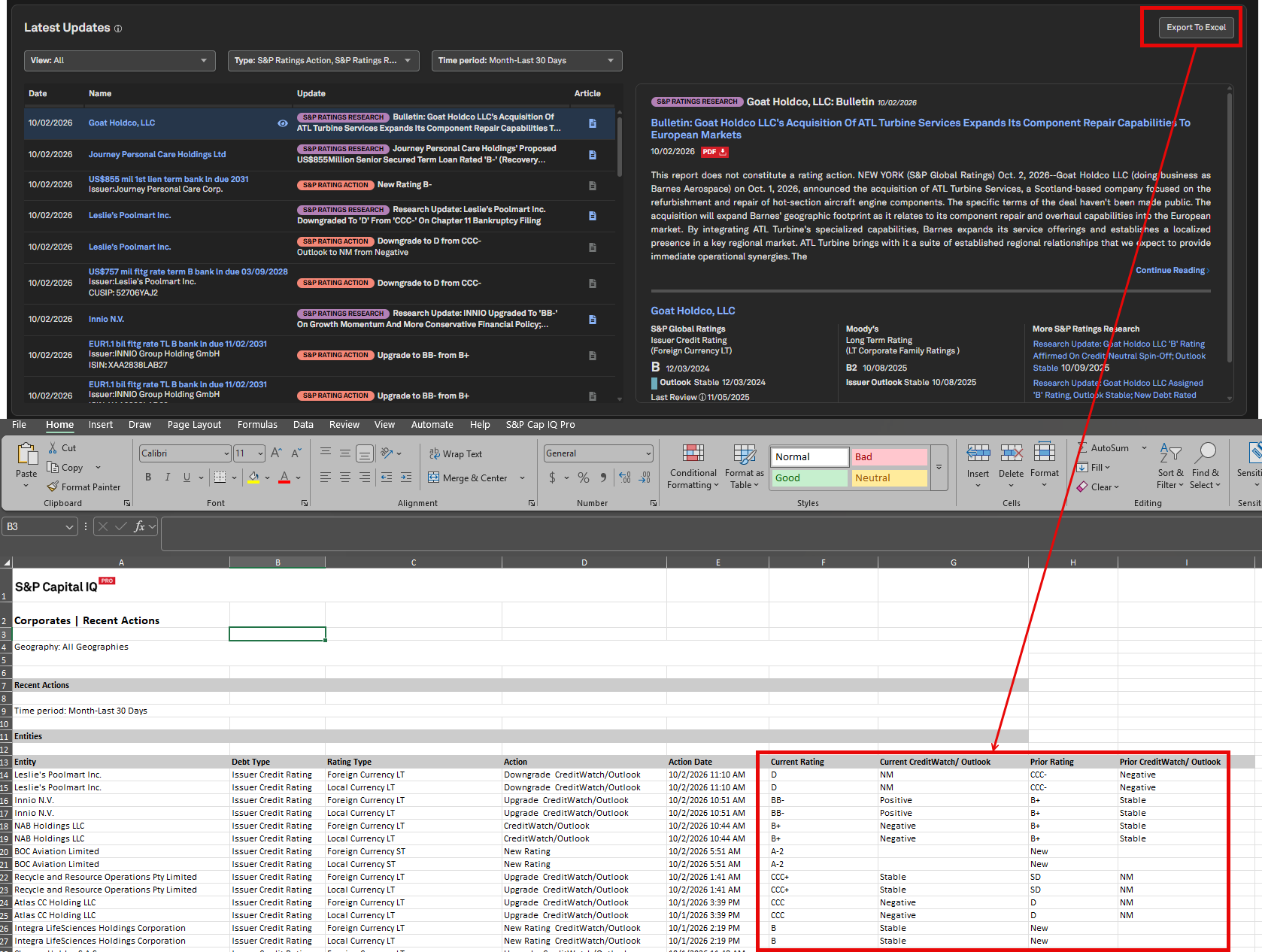
In this release, we enhanced the Sector Profile by adding an Export to Excel button within the Latest Updates widget, making it easier for users to quickly download and analyze recent ratings.
Sector Profile – Export Rating Actions to Excel
The redesigned Sector Profile now includes an Export to Excel button in the Latest Updates widget. Users can export recent Rating Actions for the selected time frame in a tabular format, with separate columns for current and prior S&P Ratings and CreditWatch/Outlook.
Find it in the platform:
Navigate to the RatingsDirect
tab in the top ribbon and select a sector from the right-hand column, e.g., Corporates HomeLocate the Latest Updates widget and select Export to Excel